

Viewing and Managing Your API Keys
To review your existing API keys, navigate to the API Keys option in the left-hand menu. This will open the API Keys Dashboard, which displays a table containing all your registered keys.
Creating a New API Key
Follow these steps to generate a new API key for your MemMachine Platform usage:1
Step 1: Click the 'Create' Button
To start generating a new key, click the + Create button located on the right side of the API Keys Dashboard.
2
Step 2: Name Your Key and Confirm Creation
In the “Create API Key” panel, provide a descriptive Name for your key (for example, “MM-Test” as shown below). Once named, click the Create button.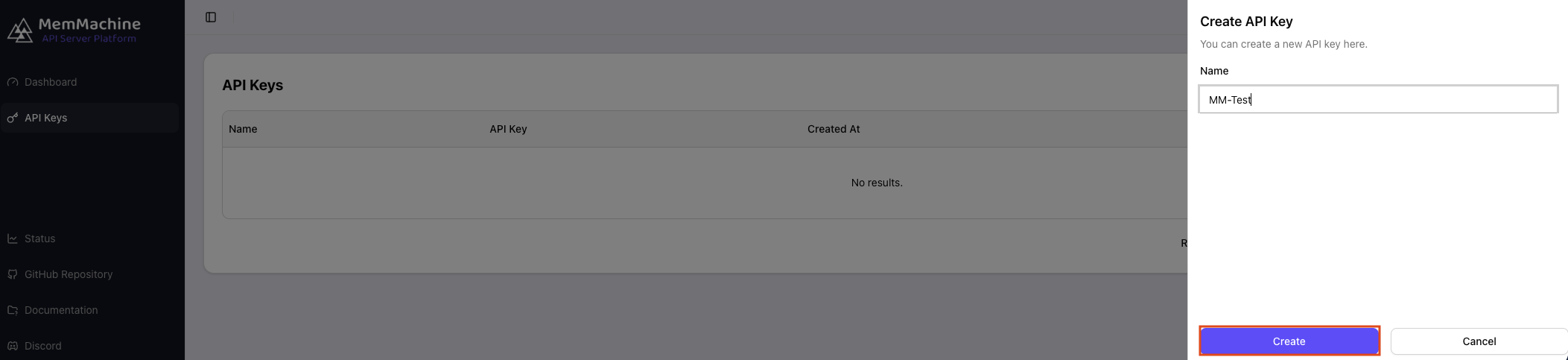
3
Step 3: Securely Record the Token
You will immediately be shown your newly generated API Key and its complete token.After you have securely recorded the token, click the Done button to close the panel and return to the API Keys Dashboard.
Crucial Security Step: Please ensure you copy the token immediately and document it in a secure location outside of the Platform. For security reasons, you will not be able to view the full token again once this dialog is closed.